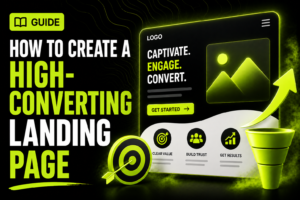

Create a high-converting landing page by giving one audience one clear offer and one action to take. When you understand how to create a high converting landing page, you can turn paid and organic traffic into qualified Swedish leads without sending visitors through a distracting website journey.
Start with a defined offer, customer insight, website access, and a way to measure successful form submissions or bookings. The right page length and level of detail depend on the decision you are asking visitors to make.
Key Takeaways
Match each traffic source to a specific offer
Lead with the visitor’s outcome, not your company
Use one primary call to action
Ask only for information you will use
Add proof before requesting commitment
Measure lead quality alongside conversion rate
Start With One Goal, Audience, and Offer
A landing page converts when it removes uncertainty around a single decision. Before you write a headline or choose a template, define who the page is for, what they receive, and what action marks a conversion. One landing page should have one primary conversion goal.
For example, a Malmö accounting firm could build one page for “book a 30-minute consultation about starting a limited company.” That page should not also promote payroll services, tax downloads, newsletter subscriptions, and recruitment. Those offers belong on separate pages.
Set the conversion action first
Choose an action that fits the visitor’s level of commitment. A low-risk offer, such as downloading a checklist, can use a short form. A B2B service worth tens of thousands of kronor needs a consultation request, pricing context, process details, and proof that your team understands the buyer’s problem.
Use one of these goals:
Book a meeting or consultation.
Request a quote.
Download a guide or template.
Register for a webinar or event.
Buy one defined product or service.
Your confirmation point must be trackable. Set up a thank-you page, form-success event, or booking confirmation event before you send traffic. In Google Analytics terms, this lets you mark a meaningful user action as a key event.
Define the audience’s immediate problem
Write down the search term, ad message, referral source, and problem that brought people to the page. Someone clicking a Google Ads campaign for “emergency electrician Stockholm” needs fast availability and a phone option. Someone arriving from a LinkedIn campaign for a cybersecurity assessment needs scope, credibility, and a clear next step.
The common mistake is building one generic “contact us” page for every campaign. It forces visitors to work out whether the page applies to them. Message match beats broad company messaging because it confirms they reached the right place.
Step 1: Write a Value Proposition That Answers “Why This?”
Your first screen must tell visitors what they get, who it is for, and why they should act now. A headline that says “We are a leading digital agency” describes you. A headline that says “Get more qualified quote requests from your Google Ads budget” describes the result your visitor wants.
Write the first draft in plain language before you involve design. If the core promise is unclear in a document, visual polish will not fix it.
Build the headline around an outcome
Use this practical formula: outcome + audience or context + meaningful qualifier. For a hypothetical Gothenburg home renovation business, a weak headline is “Quality renovations with personal service.” A stronger version is “Plan your kitchen renovation with a fixed project scope before work begins.”
Support the headline with one or two sentences that explain the offer. State what happens after the visitor acts. For example: “Book a 20-minute planning call. You’ll receive a recommended scope, timeline, and next-step estimate.”
Your headline should make sense without your logo. If it could sit on any competitor’s page, rewrite it.
Turn features into consequences
Features explain what you provide. Benefits explain why the visitor should care. “Monthly reporting” is a feature. “See which campaigns produce qualified enquiries” is the business consequence.
Use specific language where your offer allows it. Say “a review of your current tracking setup” rather than “tailored digital solutions.” Say “book a product demonstration” rather than “get started.”
Avoid claims you cannot prove, including “Sweden’s best,” “guaranteed results,” or vague promises of rapid growth. Your landing page must support the sales conversation that follows. Overstated copy produces poor-fit leads and damages trust.
Put objections near the promise
List the reasons a good prospect might hesitate: cost, time, risk, implementation effort, confidentiality, or uncertainty about results. Answer the most likely objection next to the relevant claim.
For example, if you offer an AI workflow review, explain whether the first meeting is exploratory, how long it takes, and what information the prospect should bring. If you collect business data, state how you handle it and link to your privacy information.
Step 2: Build a Page That Leads to One Action
A high-converting layout guides attention from promise to proof to action. You do not need unusual animation, long visual effects, or a complex design system. You need a clear visual hierarchy: the most important information appears first, and each section answers the next reasonable question.
Start with a mobile layout. Many campaign visits happen on phones, where a crowded hero section, tiny form fields, and slow images quickly end the visit.
Use a practical landing page structure
Build the page in this order:
Headline, short explanation, and primary call to action.
Relevant image, product view, or simple visual supporting the offer.
Key benefits and what the visitor receives.
Proof, process, or answers to likely objections.
Form or booking option repeated near the bottom.
Privacy reassurance and required legal links.
This structure works because visitors can act early or keep reading until they have enough confidence. Repeat the same primary action, not competing actions.
A “Book a consultation” button can appear three times. Do not mix it with “Subscribe,” “Read our blog,” “View all services,” and “Follow us on Instagram” as equally prominent buttons. Remove the main navigation on campaign pages when it gives visitors an easy route away from the offer.
Design for scanning, not decoration
Use short paragraphs, clear subheadings, readable type, and enough contrast between text and background. Buttons should look clickable and use action-based labels such as “Request my quote” or “Book a planning call.”
Images must support the decision. A photo of your real team at work, a product screenshot, or a relevant project image is stronger than generic stock imagery. For a local Swedish service business, showing a recognisable setting such as Stockholm, Uppsala, or Helsingborg can reinforce relevance when location matters.
The drawback of a highly stripped-down page is that it can look untrustworthy for a considered purchase. If your service has a long sales cycle, add detail where buyers need it: scope, process, credentials, examples, and practical expectations.
Make mobile speed a launch requirement
Compress large images, limit third-party scripts, and avoid autoplay media that delays useful content. Test the live page in PageSpeed Insights and separately on a real phone using mobile data before launching campaigns.
If the page looks fine on desktop but underperforms on mobile, check the first screen first. Common faults include a button below a large image, form fields that require excessive scrolling, cookie banners covering the call to action, and text that breaks awkwardly on narrow screens.
Step 3: Add Trust Signals Before You Ask for Details
Trust is the conversion bridge between interest and action. This matters most when you ask for a meeting, company information, budget details, or personal data. A visitor should see why your offer is credible before they hand over anything.
For a considered B2B purchase, explain what happens next instead of relying on artificial urgency. Tell them who will contact them, how quickly you normally respond, and what the next conversation covers.
Use proof that matches the decision
Choose proof that directly supports the offer. A web design landing page benefits from relevant portfolio examples, project outcomes you can substantiate, and a clear delivery process. A recruitment-related offer benefits from sector knowledge and examples of roles or markets served.
Useful trust signals include:
Named client logos you have permission to display.
Verified customer reviews with clear attribution.
Certifications, memberships, or partner status.
A real team member’s name and professional role.
A concise process that explains the next step.
Specific proof is stronger than generic praise. “Professional and helpful” does little without context. A short, attributed statement about response times, delivery quality, or a solved business problem gives prospects something concrete to assess.
Explain the next step
Use a small “What happens after you submit” section near your form. For example: “We review your request, contact you to confirm your needs, then suggest a suitable meeting time.” Do not promise a response time unless your team can consistently meet it.
This is especially useful when the form submits into a shared inbox. If nobody owns follow-up, a landing page can create apparent conversions while losing revenue. Assign one person or team to review new leads and set a clear internal response process.
Treat privacy as part of the offer
If you collect names, email addresses, telephone numbers, or company information, explain why you collect it and link to your privacy notice. The Swedish Authority for Privacy Protection explains the GDPR obligations that apply to organizations processing personal data.
Do not pre-tick marketing consent boxes. Keep service-related follow-up separate from optional marketing consent where your process requires consent. If you use tracking pixels, cookie tools, or retargeting, make sure your consent setup reflects the technologies actually running on the page.
Step 4: Reduce Form Friction Without Reducing Lead Quality
Your form should ask only for details you need to take the next step. Every extra field adds effort, especially on mobile. But a short form is not always the best choice. If your sales team needs project scope or budget context to qualify expensive work, ask for that information after you have explained the value.
Start with the lowest-friction version that still lets you respond intelligently.
Choose fields based on the offer
For a newsletter or downloadable guide, name and email address are usually enough. For a website project enquiry, you may need name, company, email, phone number, and a short project description.
A hypothetical B2B software consultancy could ask: “What process do you want to improve?” with a free-text field. That question gives the sales team useful context without demanding a full procurement brief.
Do not request sensitive or unnecessary information. You increase privacy risk and give visitors a reason to abandon the form.
Make errors easy to fix
Label every field clearly. Put the label above the input, not only inside it as placeholder text. Show errors next to the relevant field and retain information already entered after validation fails.
Test the form yourself on an iPhone and Android device. Submit an incomplete form, an incorrectly formatted email address, and a valid submission. Confirm that the thank-you message appears, the notification arrives, and the conversion tracking event fires once.
A common failure is tracking button clicks rather than successful submissions. A button click does not mean the form reached your system. Track the thank-you page or a confirmed form-success event instead.
Step 5: Match Ads, Search Intent, and the Landing Page
Every visitor arrives with an expectation. Your ad, search snippet, social post, email, or influencer collaboration made a promise. The landing page must repeat and fulfil that promise immediately.
A visitor who clicks “Free SEO audit for ecommerce stores” should land on a page about that audit, not a broad agency homepage. They should not need to search your menu to find the offer they clicked.
Create source-specific versions where intent differs
You do not need a separate page for every channel. Create separate versions when the audience, offer, or intent changes. Paid search often needs tight keyword-to-headline relevance. Social campaigns may need more explanation because the visitor was not actively searching.
For example, a campaign for “Google Ads management for electricians” should speak directly about lead generation, local service areas, call tracking, and budget control. A campaign for “Google Ads audit” should focus on diagnosing account waste and improvement opportunities.
Make the page’s offer and wording consistent with the ad that brought the visitor. Strong Google Ads management connects keyword intent, ad copy, landing page content, and conversion tracking as one system.
Keep organic visitors in mind
Landing pages can rank organically when they provide useful, original information and satisfy a clear intent. Add enough context for a visitor arriving from search: who the offer is for, what it includes, how the process works, and relevant questions.
Do not bury all information in images or tabs that are difficult to use on mobile. Use descriptive headings and copy that clearly reflects the subject. A strong page also supports your broader search engine optimization work by giving search engines and visitors a focused answer.
Step 6: Track Outcomes, Test One Change, and Improve the Page
A landing page is finished enough to launch when it works technically and communicates the offer clearly. It is not finished as a business asset until you know what happens after submissions. Track form completions, booked meetings, qualified opportunities, and closed sales where your systems allow it.
Conversion rate matters, but it is only one measure. A page that generates more form fills while attracting unsuitable prospects is not an improvement.
Set up a baseline before testing
Record the page version, traffic source, offer, date launched, conversion action, and lead outcome. Review enough traffic to see a pattern before you make a major decision. Do not change the headline, image, form, offer, and audience at the same time.
Use this sequence:
Confirm tracking with a real test submission.
Review traffic source and on-page behavior.
Identify one likely friction point.
Create one controlled variation.
Compare conversion and lead quality.
Keep the winner only when sales outcomes support it.
Test one meaningful change at a time. A vague result from five simultaneous edits gives you nothing reliable to repeat.
Prioritize the biggest friction first
Start with the first screen, offer clarity, and call to action. These affect every visitor. Next, review trust signals, form length, mobile usability, and page speed.
If a page gets clicks but almost no engagement, the ad-to-page promise is usually wrong or the opening content is weak. If visitors read the page but abandon the form, reduce irrelevant fields, improve privacy reassurance, or make the next step clearer.
If you receive many leads but few sales conversations, review targeting and qualification. Add a question that distinguishes genuine buyers from casual researchers, or make the offer more specific.
Audit the wider journey
Follow a submitted lead from first click to sales response. Check your CRM, email notifications, calendar booking flow, and ownership rules. A page cannot compensate for a three-day reply delay or a broken automated email.
When you need an independent review of traffic, content, forms, tracking, and technical performance, a landing page audit from Beast Productions can identify where prospects drop out before you increase campaign spend.
Conclusion
Build one focused page for one offer, then verify the entire path from click to sales follow-up. Choose a short, direct page for low-commitment offers. Choose deeper proof, process details, and privacy reassurance for high-value B2B decisions. Launch only after your form, mobile layout, consent setup, and conversion tracking have passed a real submission test.
Frequently Asked Questions
What is a good conversion rate for a landing page?
There is no single good conversion rate because traffic intent, offer value, price, and form friction differ. Compare your page against its own baseline, then judge success by qualified leads and sales outcomes rather than form submissions alone.
Should a landing page have a navigation menu?
For a focused campaign, consider reducing navigation that distracts from the main action. Test this choice against the information visitors need to trust your business. Keep required legal links, and use navigation only when buyers genuinely need to compare substantial information before converting.
How long should a landing page be?
Make it long enough to answer the buyer’s questions before they act. A guide download may need one screen and a short form, while a Swedish B2B service with a larger budget often needs benefits, process, proof, privacy details, and objections addressed.
Do I need A/B testing before launching a landing page?
No. Launch a clear, technically tested first version, then test after you have meaningful traffic and lead feedback. Start with the headline or call to action, not cosmetic changes such as button color, unless usability testing exposed a visible issue.