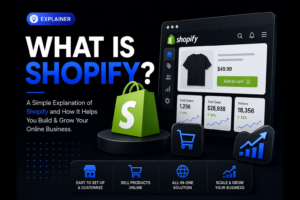

Shopify is a hosted commerce platform for creating a branded online store, managing products and orders, accepting supported payment methods, and connecting sales channels. Shopify maintains the platform infrastructure, while you manage the products, customer experience, operations, and marketing that make the business work.
For Swedish businesses, Shopify handles much of the technical foundation. You still need strong product content, delivery rules, legal information, traffic, and ongoing conversion work to turn the store into sales.
Key Takeaways
Shopify is hosted software for online and in-person sales
You control your own branded storefront and customer experience
Monthly plans are only one part of total costs
Payments, shipping, tax, and inventory connect in one dashboard
Traffic requires SEO, advertising, content, and customer trust
Start simple, then improve with real customer data
Shopify Provides a Hosted Store and Connected Sales Channels
Shopify is subscription-based software for selling products online and in person. It gives your business the technical tools to run a store without separately arranging web hosting, security updates, checkout infrastructure, and an order dashboard.
With Shopify, you operate your own branded storefront and product pages. Eligible stores can also appear in the Shop app and website under Shopify’s Shop eligibility requirements. These discovery routes do not guarantee sales, so the store still needs its own customer acquisition plan.
What “hosted” means for your business
A hosted platform means Shopify runs the underlying servers and maintains the software. You log in through a browser, choose a theme, add your products, connect a domain, and manage sales from one admin area.
This reduces technical work for a Swedish retailer compared with building a custom ecommerce website. It also means you work within Shopify’s system and rules. Deeply unusual checkout flows, complex product logic, or custom integrations may require a developer or an app.
Shopify runs the platform; you run the business. You remain responsible for accurate product information, pricing, returns, customer service, marketing, and compliance with Swedish and EU rules.
Who Shopify suits best
Shopify is a strong fit for product-led businesses that need a dependable store quickly. A Stockholm skincare brand, a Malmö coffee roaster, or a Gothenburg clothing retailer can use the same platform while presenting completely different brands.
It also works for businesses that sell through several channels. You can connect an online store with social selling, physical retail, selected marketplaces, and email campaigns. Centralizing orders and stock reduces the risk of selling an item online after it has already left the shop.
Map complex pricing, customer accounts, and product configuration requirements before selecting a plan or commissioning development. Shopify now offers B2B features on Basic, Grow, Advanced, and Plus, with differences in available controls. Check its current B2B plan features against your actual needs rather than assuming wholesale requires Plus.
The store is not the customer acquisition plan
The most common mistake is assuming a new Shopify store will bring customers automatically. It will not. Search engines need to find and understand your pages, while paid ads and social posts need clear offers and useful landing pages.
How Shopify Works From Store Setup to Delivery
Shopify connects the main parts of ecommerce in one system: storefront, products, checkout, orders, payments, and fulfillment. Once configured, a customer can browse your store, pay, receive order updates, and have their purchase recorded in your admin.
Build the storefront around your brand
You start by selecting a theme, then add your logo, colors, navigation, pages, and content. Themes control the visual layout and many basic functions, such as product filtering and featured collections.
A theme does not replace brand strategy. A polished design cannot compensate for unclear products or weak trust signals. Give shoppers the information they need before they reach checkout: dimensions, materials, care instructions, delivery terms, returns, and realistic images.
Add products, stock, and order rules
Each Shopify product has a title, description, price, images, variants, stock level, and shipping details. Variants let you manage options such as size, color, or volume under one product listing.
Inventory tracking is useful when stock is limited. Shopify tracks quantities across stock states and locations as orders are placed and processed; the available count does not simply wait for every payment to be approved. Check inventory tracking, location settings, and whether products may continue selling when out of stock before launch.
An order can exist while payment is pending, authorized, or paid. For example, Shopify’s manual payment workflow creates an unpaid order that you mark as paid after receiving funds. Check payment and fulfilment status before dispatching, and keep weights, variants, and customer details accurate.
What happens at checkout
Checkout collects the information needed to place an order and shows available delivery and payment options based on your setup. Payment status depends on the method and capture settings, so placing an order and receiving settled payment are separate steps to verify.
For Sweden, customers often expect familiar payment and delivery choices. Confirm which options are available through your chosen payment provider and shipping setup before promoting them on your site. Do not display a payment method or carrier promise that your checkout cannot deliver.
Shopify also gives you a customer record for each order. Treat that data carefully. Your privacy notice, marketing consent process, and customer-data handling must align with the General Data Protection Regulation (GDPR). The European Commission’s GDPR guidance explains the broader legal framework.
Payments, Shipping, Taxes, and Fulfillment Need Careful Setup
Payment methods and transaction costs
Shopify offers Shopify Payments in supported markets and also supports third-party payment gateways. The exact payment methods, fees, and availability depend on your store location, plan, currency setup, and provider agreement.
Review Shopify’s current pricing for your location and billing period before selecting a plan. Budget for the subscription, payment processing, and any applicable third-party transaction fees; rates and exceptions depend on the payment method and plan.
Swedish shoppers may look for card payments, digital wallets, invoice options, or local payment services. Choose methods based on your customers, not personal preference. A B2C fashion brand and a B2B parts supplier often need different checkout options.
Shipping rules customers can understand
Shipping setup determines rates, delivery zones, package handling, and which services appear at checkout. You can create rates based on order value, weight, destination, or carrier calculations.
A simple structure is often better at launch. A hypothetical Uppsala homeware store could offer a flat domestic shipping charge below a chosen basket value and free shipping above it. The business must calculate the margin impact first, including packaging and carrier costs.
State delivery times honestly. Avoid promising “fast delivery” when fulfillment takes two business days before the parcel reaches the carrier. Clear wording such as “packed within 1–2 business days” sets a better expectation.
Taxes and fulfillment remain your responsibility
Shopify can help calculate taxes when configured correctly, but it does not remove your responsibility to charge, report, and document tax correctly. Swedish VAT, cross-border EU sales, product categories, and your company’s registration status affect the rules.
Confirm your setup with an accountant or tax adviser before going live, especially if you sell across EU borders. The Swedish Tax Agency provides official information on VAT obligations and reporting.
Fulfillment means picking, packing, labeling, and dispatching the order. You can handle it yourself, use a warehouse partner, or work with a third-party logistics provider. Whatever method you choose, test an entire order yourself before launch, from purchase confirmation to return handling.
Shopify Plans and Total Costs Go Beyond the Monthly Fee
Shopify plans are recurring subscriptions, with features and fees varying by plan and country. Compare the subscription with your wider operating costs instead of assuming it represents the full cost of running the store.
A realistic budget includes payment fees, shipping materials, returns, product photography, apps, domain costs, advertising, content production, and staff time. The cheapest plan is not always the lowest-cost operation.
Budget for the full ecommerce operation
A new store often starts with a standard plan and a free theme. That is sensible when the catalogue is small and the business is validating demand. Move to paid tools only when they solve a real operational or commercial problem.
Premium themes may involve a one-time fee, while apps commonly use monthly subscriptions or usage-based pricing. Review every recurring cost quarterly. Remove tools that duplicate Shopify functions or do not affect revenue, efficiency, or customer experience.
Plan choice should follow your operating needs
Choose your Shopify plan based on sales volume, reporting needs, staff access, point-of-sale requirements, and payment terms. Do not upgrade because a plan sounds more professional.
Physical retailers should assess Shopify Point of Sale, which connects supported in-person transactions with the store’s products, orders, and inventory. Check hardware compatibility, staff permissions, offline limitations, and any separate retail subscription costs before committing.
Build a launch budget before you commit
Use this sequence to avoid underestimating costs:
Choose a plan based on current operations, not projected fame.
List payment, shipping, packaging, and return costs per order.
Price product photography, copywriting, design, and required apps.
Set a separate monthly budget for SEO, paid media, and content.
Reserve time for customer service, fulfillment, and store improvements.
The real drawback of Shopify’s convenience is that recurring add-ons can accumulate quietly. Keep ownership of your costs by documenting each tool, why it exists, and who reviews it.
Apps and Sales Channels Extend Shopify, but Complexity Has a Price
Shopify includes core ecommerce functions, while the Shopify App Store adds specialist features. Apps can support subscriptions, reviews, returns, product bundles, accounting connections, loyalty programs, and advanced shipping.
Use apps selectively. Some add fees or storefront scripts; others are free or operate mainly in the admin. Check the actual cost, permissions, support, and effect on your store, and remove redundant apps through the recommended uninstall process.
Choose apps from a defined business problem
Start with the question, “What is currently blocking a sale or wasting staff time?” Then choose one tool that fixes that issue. Do not install apps simply because other stores use them.
Install fewer apps and measure their effect. Check whether each app improves a clear metric, such as completed orders, repeat purchases, average order value, or time saved in fulfillment.
Sell where your customers already spend time
Shopify supports sales channels that can place products beyond your online storefront, including social platforms and physical point-of-sale systems. The exact setup and eligibility depend on each channel’s policies and your market.
Do not rely on a social platform as your only sales channel. Platform policies, account access, and reach can change. Your Shopify store should remain the home base where you control your brand, customer journey, and first-party customer data.
Connect marketing tools without losing focus
Shopify includes basic marketing and analytics capabilities, and it can connect with email, advertising, and analytics platforms. Keep your tracking setup clean from day one. Define which platform records sales, which system sends emails, and who checks results.
If you use advertising, connect campaigns to useful landing pages rather than your homepage. Someone clicking an ad for linen tablecloths should arrive at the relevant collection or product, not a broad front page.
For a stronger organic foundation, pair the store with a planned SEO strategy for ecommerce websites. Product pages need search-focused titles, useful copy, structured navigation, and internal links that help both shoppers and search engines.
Shopify SEO, Analytics, and Marketing Turn a Store Into a Sales Channel
Shopify provides the infrastructure for search-friendly pages, but it does not guarantee rankings. Your results depend on product demand, competition, content quality, technical setup, site authority, and how clearly your pages answer search intent.
Build product pages people can find and trust
Start with keyword research before writing categories and product descriptions. Use the words Swedish buyers use when searching, while keeping the copy clear and natural. A collection named “Accessories” tells Google and customers little; “leather laptop sleeves” is more specific.
Create distinct pages for meaningful product groups. Avoid copying the supplier’s description across every listing. Original copy should explain what the product is, who it suits, how it is used, and what buyers should know before ordering.
Shopify lets you edit titles, meta descriptions, URLs, image alt text, and redirects. These basics matter, but they do not replace content quality. Learn how to prioritize terms through keyword research and strategy.
Measure the actions that lead to revenue
Analytics should answer practical questions: Which channels bring visitors? Which products receive attention? Where do people leave? Which campaigns produce orders after costs?
Shopify reports store activity and sales data, while Google Analytics can provide deeper behavior and acquisition analysis when implemented correctly. Configure consent and tracking with privacy requirements in mind, particularly when using advertising pixels and customer audiences.
Measure conversion, not clicks alone. A campaign with many visits but no checkout activity needs a different response from a campaign that produces checkouts but loses buyers at payment.
Use paid media and email after the foundation is ready
Google Ads can capture people already searching for a product. Social advertising can create demand, especially when your product needs demonstration or visual context. Neither channel fixes unclear pricing, slow pages, weak photos, or missing delivery information.
Build email lists with clear marketing permission and useful reasons to subscribe, such as product care advice or relevant updates. Welcome, replenishment, and cart-recovery messages should follow the permissions and customer relationship that apply; simply entering an email address does not authorize every promotional sequence.
For paid search, a focused Google Ads campaign strategy connects product intent, landing pages, tracking, and budget control. Test one channel and one offer at a time before expanding.
Launch a Shopify Store in the Right Order and Avoid Costly Mistakes
A practical pre-launch sequence
Follow these six steps:
Define your customer, product range, prices, and delivery promise.
Set up your domain, theme, brand assets, navigation, and key pages.
Add products with complete descriptions, images, variants, stock, and weights.
Configure payments, shipping zones, taxes, returns, and customer emails.
Test purchases on desktop and mobile, including refunds and order notifications.
Launch with one traffic plan, then review behavior and sales weekly.
Test from a customer’s point of view. Use a mobile phone, enter a real Swedish address, check delivery costs, and read every automated email. A checkout that works for the person who built it can still confuse a first-time buyer.
Mistakes that block early growth
Do not treat the theme demo as finished content. Replace placeholder language, remove unused sections, and make every product image and policy page fit your brand.
Do not hide delivery, returns, or contact information. These details often determine whether a cautious shopper proceeds. A customer who cannot find your return rules before payment may leave rather than contact support.
Avoid launching paid campaigns before conversion tracking works. Without reliable purchase measurement, you cannot tell whether a 5,000 kr ad spend produced revenue, added people to a list, or simply generated traffic.
When professional help is worth it
Bring in specialist support when the store affects a meaningful share of revenue, when you need a custom integration, or when marketing spend is rising without a clear return. Design, product photography, SEO structure, paid media, and conversion work are separate disciplines.
For help planning the storefront and the customer journey around it, explore Beast Productions’ website services. A useful brief connects design, product information, search visibility, and measurement to how customers choose and buy.
Conclusion
Start by choosing Shopify if you need a manageable, branded store without maintaining ecommerce hosting yourself. Then set up products, payments, shipping, taxes, and a test order before spending on promotion. Build traffic through search, paid media, social content, and permission-based email, then improve the store using actual customer behavior. The platform is the foundation; disciplined operations and marketing create the sales.
Frequently Asked Questions
Is Shopify good for small businesses in Sweden?
Yes, Shopify is suitable for many Swedish small businesses because it combines a hosted store, product management, checkout, and order handling. Confirm your preferred payment options, VAT setup, shipping carriers, and return process before launch.
Do I need coding skills to use Shopify?
No, you can build and manage a basic Shopify store without coding by using themes and the visual editor. Coding becomes relevant when you need unusual design behavior, advanced integrations, or custom product functions.
Does Shopify include hosting and a domain name?
Shopify includes hosting for your online store, but a custom domain is usually a separate purchase or transfer. Using your own domain strengthens brand recognition and looks more credible than a temporary store address.
How long does it take to launch a Shopify store?
A small, prepared catalogue can be launched in days, while a larger store often takes weeks because content, product data, payments, shipping, legal pages, and testing need attention. The timeline depends more on preparation than on theme installation.